GPU in a 180 W Box: Upgrading an HPE MicroServer Gen10 Plus for AI Workloads
Adding an NVIDIA RTX A1000 and a 6-core Xeon to a tiny server, and fitting them inside a 180 W PSU with RAPL and power caps
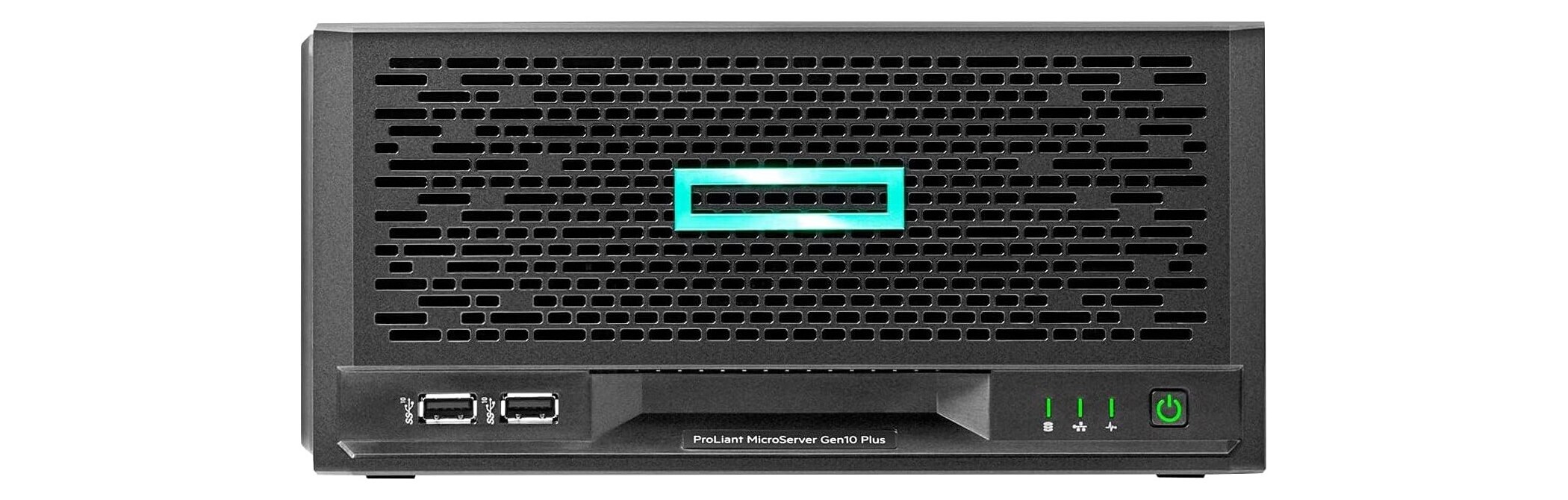
A GPU card and a CPU swap turned a compact, quiet homelab server into an AI inference machine, without replacing the hardware or exceeding its 180 W power supply. Indexing 15,000 photos dropped from roughly an hour to under ten minutes. Embedding a 400-page book dropped from three minutes to twenty seconds. The catch: fitting a GPU and a faster CPU inside a 180 W power budget requires software enforcement, not just careful hardware selection.
| Workload | Before (CPU only) | After (GPU) | Speedup |
|---|---|---|---|
| Photo library scan (15 k images) | ~60 min | < 10 min | 6×+ |
| Book embedding (400 pages) | 3–4 min | ~20 s | ~10× |
| Peak system power draw | — | ≤ 170 W | within 180 W PSU |
| Hardware replaced | — | GPU + CPU only | no new server |
The ML speedups above are GPU-only gains. The CPU upgrade (E-2224 → E-2246G, 4 cores / 4 threads → 6 cores / 12 threads) was driven by concurrency: 33 containers across multiple Docker stacks were already saturating the old CPU’s scheduling headroom, independent of any AI workload.
The server
My primary homelab machine is an HPE ProLiant MicroServer Gen10 Plus. It is not a flashy server. It sits silently on a shelf, draws little power, makes almost no noise, and runs Proxmox VE with a handful of Linux containers and VMs for the services I use daily: Home Assistant, Nginx, a local DNS, network monitoring, and an Immich instance that handles the family photo library.
The machine’s defining constraint is its PSU: a 180 W external brick (LiteOn P19429-001). That ceiling shapes every hardware decision.
The original CPU was an Intel Xeon E-2224 — 4 cores, 4 threads, 71 W TDP. Adequate for the workload at the time, but two things changed.

Why I wanted more
Immich machine learning
Immich is a self-hosted Google Photos alternative. The part that makes it genuinely useful is the ML pipeline: it runs CLIP for semantic image search (type “beach sunset” and it finds your beach photos), facial recognition for grouping people across thousands of images, and object detection for smart albums.
Out of the box, Immich can run these models on the CPU. It works, but it is slow. A GPU cuts model inference time by an order of magnitude. With a GPU, the initial library scan that would take hours on CPU completes in minutes, and the smart search responds in under a second rather than several.
Book RAG embeddings
I also run a semantic search system over my personal book library — a project I call Book RAG. It parses EPUBs and PDFs, chunks the text by chapter, and stores each chunk as a 1024-dimensional vector in Qdrant using the BGE-M3 embedding model served via HuggingFace TEI (Text Embeddings Inference). At query time, Claude Code uses the vectors to find the most relevant passages from any book in the library.
On CPU, embedding a 400-page book takes several minutes. On GPU, it takes seconds. The difference is relevant when ingesting a new book or re-indexing the library after a model update.
Why the RTX A1000

I had already tried a GPU in this machine: a Quadro P400. It handled Immich ML or Book RAG individually, but not both at the same time. The P400 has 2 GB of VRAM. BGE-M3 alone loads roughly 1.5 GB into VRAM; Immich’s ML models add another gigabyte. Running both concurrently exhausted the card’s memory and triggered out-of-memory errors in the TEI container.
The RTX A1000 ships with 8 GB of GDDR6. Both workloads fit comfortably, with headroom for the OS overhead and driver allocations. The card is also half-height and single-slot, which matters in the MicroServer’s constrained chassis, and its 35 W TGP means no auxiliary power connector is needed.
More cores
Beyond the GPU use case, moving from a 4-core E-2224 to a 6-core/12-thread processor gives Proxmox meaningfully more headroom for running containers and VMs concurrently. The E-2246G I chose is the same socket (LGA1151) and fits the same cooler, with 6 cores, 12 threads, and a base clock of 3.6 GHz boosting to 4.8 GHz single-core.
The power problem
Adding a GPU and upgrading the CPU both increase peak power draw. The 180 W PSU has no give: it is a hard ceiling enforced by the hardware.
Here is the nominal spec for each component:
| Component | Stock TDP / TGP |
|---|---|
| Intel Xeon E-2224 (old) | 71 W |
| Intel Xeon E-2246G (new) | 80 W TDP |
| NVIDIA RTX A1000 | 50 W TGP |
| RAM, NICs, motherboard, fans, drives | ~40 W |
Stock numbers: 80 + 50 + 40 = 170 W. That looks like it fits in 180 W with 10 W to spare. But Intel’s TDP figure is for sustained load; the burst power limit (PL2) is higher. Out of the box, the E-2246G can spike to around 140 W for short bursts. Add an uncapped GPU and the rest of the system: the peak can easily exceed 230 W. That exceeds the PSU.
The fix is to cap both.
Intel RAPL: capping the CPU
Intel’s Running Average Power Limit (RAPL) lets software enforce hard power limits
on the CPU package via a kernel interface at
/sys/class/powercap/intel-rapl/intel-rapl:0/. There are two limits:
- constraint_0 (PL1): the sustained power limit. The CPU runs at or below this level indefinitely.
- constraint_1 (PL2): the burst power limit. The CPU can exceed PL1 up to this value for a short window (~2 ms by default).
I set PL1 to 75 W and PL2 to 95 W. The reasoning:
- PL1 = 75 W is 94% of the 80 W TDP, close enough to full sustained performance.
- PL2 = 95 W is below the old E-2224’s stock PL2 of 100 W, so it is a safer burst envelope than the previous working configuration.
These values are in microwatts in the kernel interface: 75 W = 75000000,
95 W = 95000000.
To make the cap persistent across reboots and applied before any workload starts, I created a systemd oneshot service:
# /etc/systemd/system/cpu-powerlimit.service
[Unit]
Description=Set Intel RAPL CPU package power limit
DefaultDependencies=no
After=sysinit.target
Before=multi-user.target pve-guests.service
ConditionPathExists=/sys/class/powercap/intel-rapl/intel-rapl:0

[Service]
Type=oneshot
ExecStart=/bin/sh -c 'echo 75000000 > /sys/class/powercap/intel-rapl/intel-rapl:0/constraint_0_power_limit_uw'
ExecStart=/bin/sh -c 'echo 95000000 > /sys/class/powercap/intel-rapl/intel-rapl:0/constraint_1_power_limit_uw'
RemainAfterExit=yes

[Install]
WantedBy=multi-user.target
The Before=pve-guests.service line is critical: it ensures the cap is enforced
before Proxmox starts any VM or container autostart. If a VM with a heavy workload
boots before the cap is applied, the CPU can spike uncapped for several seconds.
Verify after enabling:
sudo systemctl enable --now cpu-powerlimit.service
cat /sys/class/powercap/intel-rapl/intel-rapl:0/constraint_0_power_limit_uw
# 75000000
cat /sys/class/powercap/intel-rapl/intel-rapl:0/constraint_1_power_limit_uw
# 95000000
One caveat: HPE’s BIOS can override RAPL on some ProLiant models. If the values come back different from what you wrote, the BIOS is fighting you. On the Gen10 Plus with the firmware I’m running, RAPL writes take effect and persist correctly.
Capping the GPU
The NVIDIA RTX A1000 supports a software power limit via nvidia-smi. The stock
limit is 50 W; I set it to 35 W. The A1000 is a workstation card designed for
sustained professional workloads; 35 W is well within its operating range.
sudo nvidia-smi -pl 35
To persist across reboots:
# /etc/systemd/system/nvidia-powerlimit.service
[Unit]
Description=Set NVIDIA GPU power limit
After=nvidia-persistenced.service

[Service]
Type=oneshot
ExecStart=/usr/bin/nvidia-smi -pl 35
RemainAfterExit=yes

[Install]
WantedBy=multi-user.target
One quirk of the RTX A1000: nvidia-smi reports power.draw = [N/A]. The card
does not expose a live power draw sensor. The 35 W cap is firmware-enforced
regardless of load — you cannot observe instantaneous draw, but you know it cannot
exceed the limit.
The power budget
With both caps in place:

The 10 W margin is thin. It is the same margin that the previous configuration (E-2224 stock + 30 W GPU cap) ran on stably for months. I am comfortable with it, but it is worth monitoring iLO event logs periodically for any P12V regulator events.
Validation
With the hardware swapped and caps in place, I ran a stress test before restoring VM autostart.
GPU: 300 s sustained load
The GPU stress test ran for 5 minutes with zero errors:
| Metric | Observed | Threshold | Result |
|---|---|---|---|
| Errors (full run) | 0 | 0 | ✅ |
| Throughput | ~2460 Gflop/s sustained | — | — |
| Power limit (driver) | 35.00 W, held | ≤ 35 W | ✅ |
| GPU temperature | 81 °C peak | < 85 °C | ✅ |
| GPU utilization | 100 % | — | — |
Thermals
GPU temperature ramped from 74 °C to 81 °C and held steady for the duration of
the run. The compact MicroServer chassis routes GPU exhaust through the CPU area,
which matters: turbostat showed the CPU package at 84–85 °C with no CPU
workload running — purely from GPU heat soak. iLO sensor readings at the end of
the test (27 °C inlet ambient):
| Sensor | Reading | Caution threshold |
|---|---|---|
| CPU package (turbostat) | 84–85 °C | abort at 95 °C |
| CPU (iLO, near-idle) | 40 °C | — |
| DIMM | 38 °C | — |
| Chipset | 57 °C | — |
| VR P1 | 52 °C | — |
| LOM | 73 °C | — |
| BMC | 90 °C | 105 °C |
The elevated package temperature at idle is expected in this chassis and within thresholds. It does mean that when the CPU is under real load, package temperature will climb further — which is exactly why the RAPL cap matters.
Kernel log: no faults
sudo dmesg | grep -iE "regulator|throttl|thermal|power"
No P12V events, no throttle events. The only line of interest was a normal HPE ACPI power-meter registration at boot:
power_meter ACPI000D:00: Ignoring unsafe software power cap!
This message has nothing to do with RAPL. RAPL is enforced through the kernel
powercap interface independently, and turbostat confirmed CoreThr = 0 on
every core throughout the run.
CPU stress test
The combined test ran stress-ng --cpu 12 alongside gpu-burn, putting all 12
threads and the GPU under simultaneous load. The system remained stable throughout.
The RAPL cap was exercised under real load and held at the configured limits.
Detailed per-core turbostat figures were not recorded for this run.
What it enables in practice
The GPU passes through from the Proxmox host to a dedicated Linux VM that acts as the internal Docker host. That VM runs 33 containers across infrastructure and automation services. Of the 33 containers, exactly two use the GPU:
Immich ML worker (MACHINE_LEARNING_DEVICE=cuda): handles CLIP semantic
embeddings, face recognition, and object detection for the photo library. Initial
indexing of ~15,000 photos completed in under 10 minutes. A CPU-only run of the
same library takes the better part of an hour.
TEI embedding server (Book RAG stack, port 8090): runs the BGE-M3 model to generate 1024-dimensional vectors for the personal book library search system. A 400-page book that took 3–4 minutes to embed on CPU embeds in under 20 seconds on GPU. The difference compounds when ingesting several books in one session.
The remaining 31 containers — everything from the reverse proxy to the MQTT broker — run entirely on CPU. The GPU is a narrow accelerator for the two ML workloads, not a general-purpose resource for the VM.
The trade-off
The RTX A1000 is not cheap for what it does. It is a professional workstation card priced for CAD/3D workloads, not consumer gaming. I chose it because it runs at low power (35 W capped, no auxiliary power connector needed), fits in a half-height slot, and supports NVIDIA’s professional driver stack without the consumer-tier restrictions that affect passthrough on GeForce cards.
If you are doing this for Immich alone, a used GeForce GTX 1650 or RTX 3050 would get the job done for much less. The A1000 made sense for my workload mix and the passthrough use case.
The broader lesson is that the 180 W PSU is not the obstacle it looks like. Between Intel RAPL and nvidia-smi power limits, you have reasonably precise control over the power envelope. You just have to do the math up front, cap both components, and verify that the caps actually apply before the first real workload runs.